
Introduction
Tessel is a small programming language for building desktop apps. You describe what your window should look like for the current data, and Tessel keeps the screen up to date when that data changes. Your program is compiled ahead of time into a native executable for macOS or Windows.
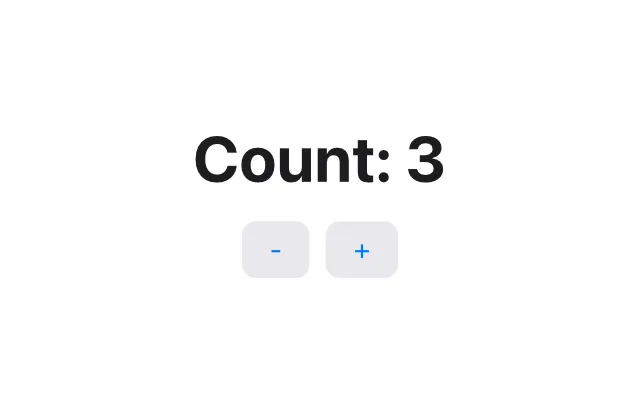
Here is a complete Tessel app:
// The smallest useful Tessel app: one piece of state and two buttons.
app Counter(width: 320, height: 200) {    state count = 0
    VStack(spacing: 12) {        Text("Count: {count}")            .font(size: 32, weight: .bold)
        HStack(spacing: 8) {            Button("-") { count -= 1 }            Button("+") { count += 1 }        }    }    .padding(24)}
state count = 0 is a value that belongs to the app. The buttons change it,
and the text that shows it is redrawn by itself. You never write code to
“update the label”.
Tessel is not only for windows. A program with a fn main() instead of an
app runs in the terminal and prints its output:
struct Planet {    name: String    moons: Int}
fn describe(planet: Planet) -> String {    if planet.moons == 0 {        "{planet.name} has no moons"    } else {        "{planet.name} has {planet.moons} moons"    }}
fn main() {    let planets = [        Planet(name: "Mercury", moons: 0),        Planet(name: "Mars", moons: 2),        Planet(name: "Jupiter", moons: 95),    ]    for planet in planets {        print(describe(planet: planet))    }}
Mercury has no moonsMars has 2 moonsJupiter has 95 moonsWho Tessel is for
Section titled “Who Tessel is for”- People who want to make a desktop app without learning a large framework first. A useful app fits in one short file.
- Beginners. Tessel has 18 keywords, one kind of block, and error messages that point at your code and suggest a fix.
- People who know SwiftUI, React or Flutter. The ideas will feel familiar: views are built from state, and the framework redraws them. You don’t need to know any of those to learn Tessel.
The main ideas
Section titled “The main ideas”Declarative views. A view is a description of the screen, built from
nested views like VStack, Text and Button. Inside a view you can use
if and for to show views conditionally or once per item.
See Apps and views.
State. state declares data that belongs to a view. When an action
changes it, Tessel rebuilds that view and redraws what changed. A view can
also take a bind parameter, which lets it edit data that belongs to its
caller. See State and bindings.
Value types only. Every value in Tessel, including lists and structs, behaves like a number: assigning it or passing it to a function gives the receiver its own copy. There are no shared objects that change behind your back. Copies are cheap, because Tessel only really copies when one side changes. See Values and copying.
No imports. A program is a folder. Every .tsl file in it can use
everything declared in the others. See Programs and files.
Optionals instead of crashes. A value that might be missing has a type
like String?, and you must check it before you use it. Functions that can
fail, like turning text into a number with Int("42") or reading a file,
return an optional: nil means it didn’t work.
See Optionals and Errors.
Compiled to native code. The Tessel compiler checks your types, then uses LLVM to produce machine code. Memory is managed with reference counting, so there is no garbage collector and no pauses.
Its own renderer. Tessel draws every button, text field and toggle itself on the GPU, rather than using the operating system’s widgets. Apps look the same on macOS and Windows.
Current status
Section titled “Current status”Tessel is young. It is at version 0.1, it runs on macOS and Windows, and you install it with one command. The language and its built-in views are already enough to write real apps (the Tessel IDE is written in Tessel), but many things are still missing, and details may change. The roadmap lists what works and what doesn’t yet.
Where to go next
Section titled “Where to go next”- Install Tessel and run the examples.
- Build your first app, a todo list, step by step.
- Learn the language, starting with the basics.
- Read about Tessel’s design and why it looks the way it does.